The Prompt Engineers
I designed and built the first website for an AI consultancy and had it live in a week. After launch, the team asked for more. In 2025 I extended the site with a book, playbooks and services, and built its redesign.
- Year
- 2024 – present
- Role
- Designer and developer
- Platforms
- Marketing site and automation workflow
- Stack
- Figma · Webflow · Make.com
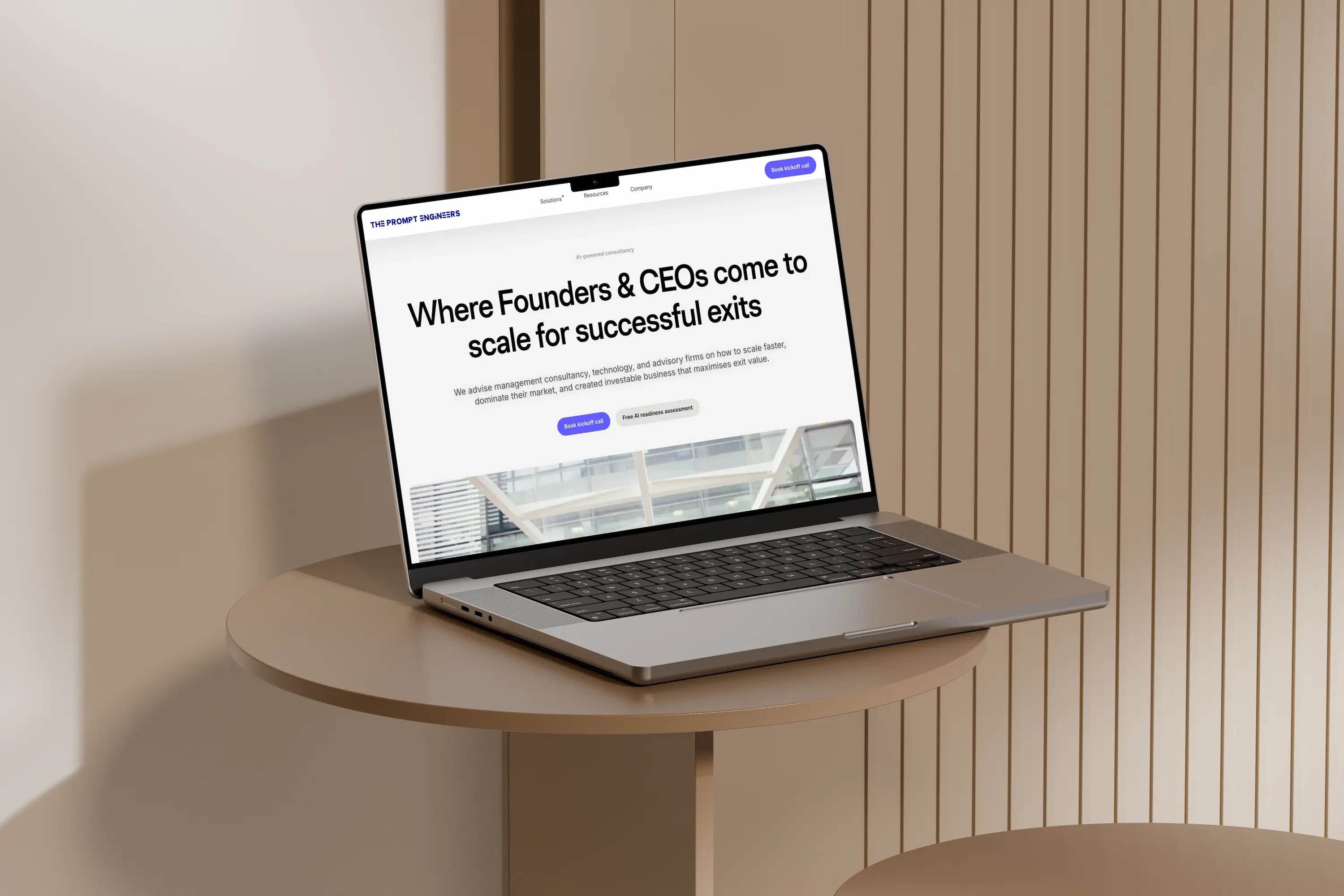 The live homepage – the-prompt-engineers.ai ↗
The brief
The Prompt Engineers is an AI consultancy. The team had a Wix template as a starting point and wanted their first website built in Webflow instead. They needed a company site that presented their services and the business, with a sleek, light, modern feel and AI imagery throughout. I worked directly with the founders and handled both the design and the Webflow development.
Credible to B2B buyers
Most buyers would meet the consultancy through its website first. It had to look trustworthy, load fast and say clearly what the team does.
One week, no handoffs
I did the design and the build myself, so the founders' feedback went straight into the site. I had it live within a week of kick-off.
Process
Sitemap, wireframes and a style guide, worked out in Figma.
I worked out the sitemap, wireframes and style guide in Figma myself. The founders and their team left feedback as comments on the file, and I worked through it as it came in. I also wrote the UX copy across the site.
Low-fidelity wireframes, v1 to v5
The wireframes were grey boxes with no colour or real type, so the feedback was all about structure: what goes first, the order of the story on each page, and which page a section belongs on. Versions 1 and 2 got the launch site ready to build. Versions 3 to 5 came later, as the site grew, and the Services page changed several times along the way.
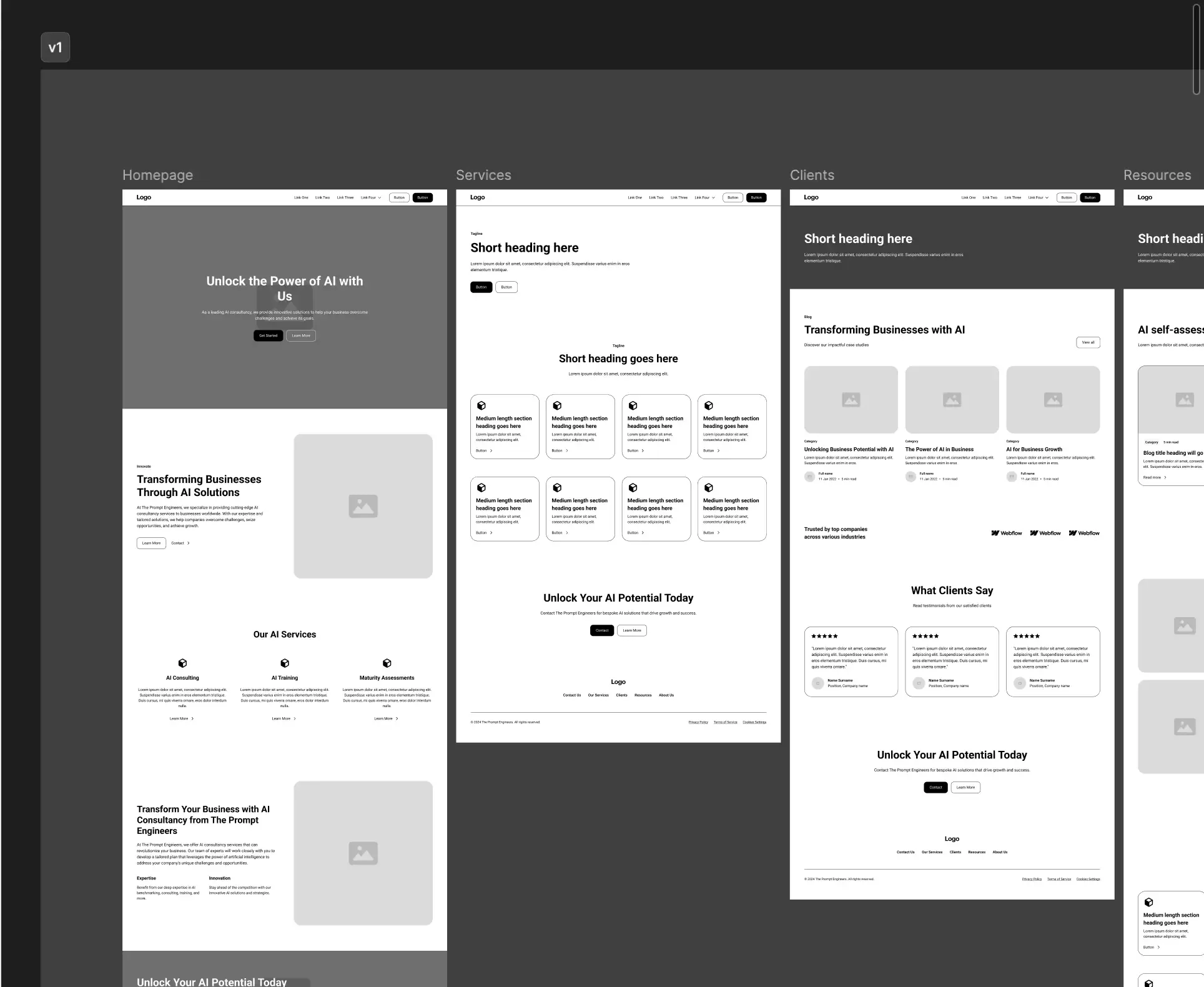 v1 – home, services and clients, first pass
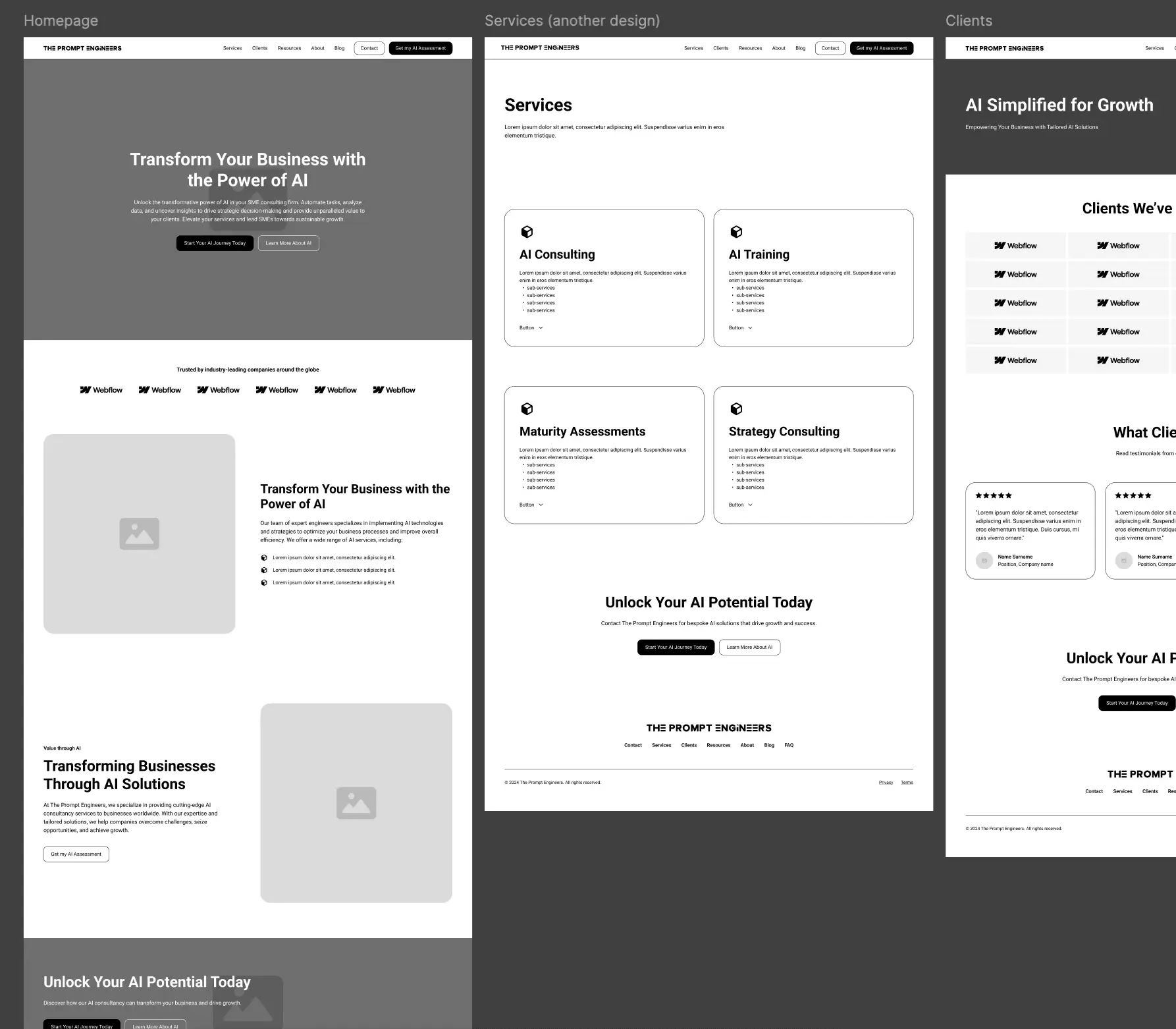 v5, after launch – Services redrawn as four cards with their sub-services
Four colour rounds, one typeface
I showed four colour directions and the founders picked one: a dark ink, an accent, a tinted background and white. I used one typeface, Satoshi, for everything, so the hierarchy comes from weight and size.
- Dark#0A2540Headings, footer, dark bands
- Accent#635BFFLinks, buttons, active states
- Background#F7F9FCAlternating section bands
- White#FFFFFFPage canvas and cards
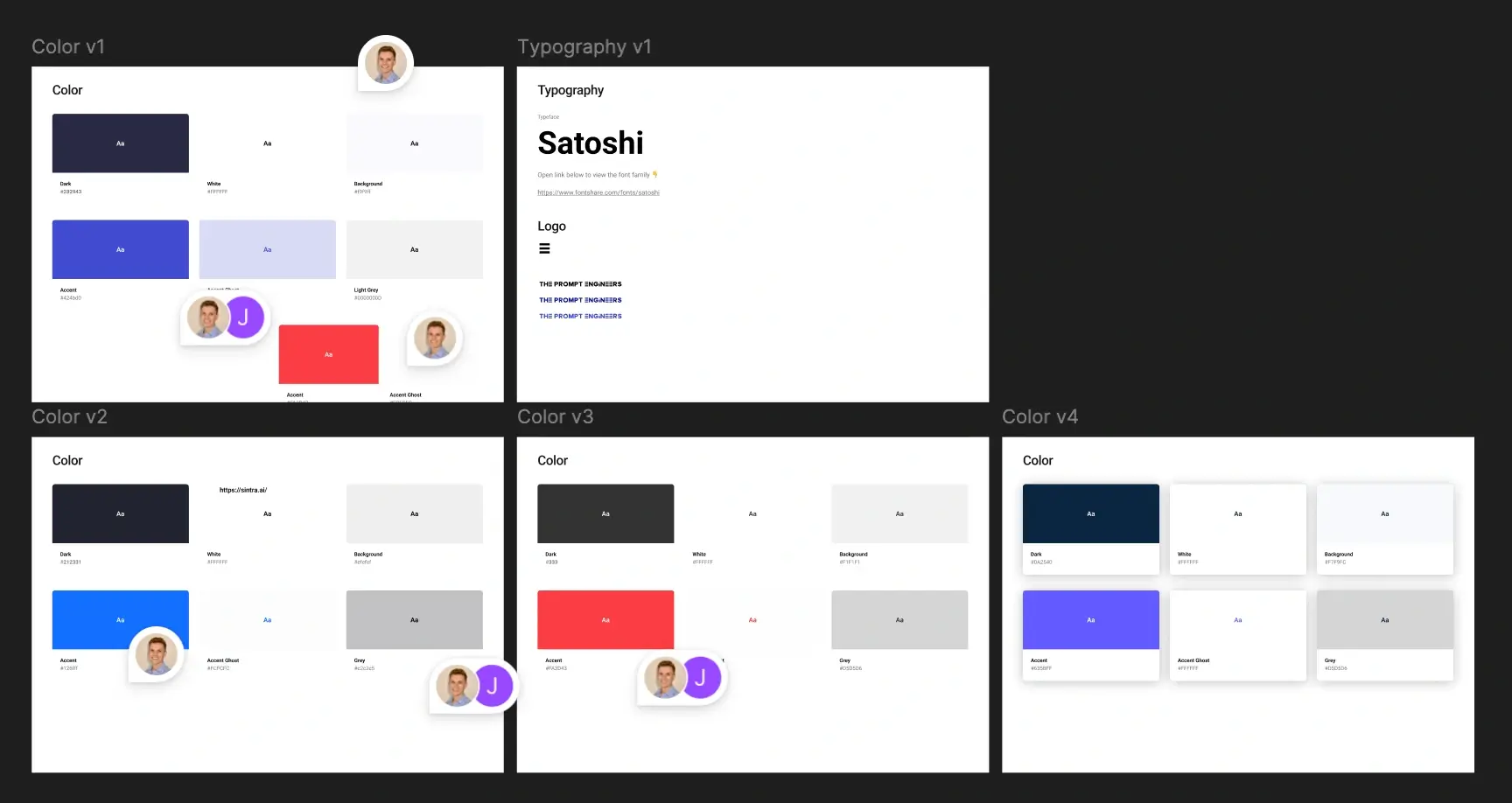 Figma – colour and type drafts in progress
Eight static pages at launch
I drew the sitemap section by section. My first version had every section I could offer on each page, and the founders cut it down from there. The diagram shows the eight pages that went live, minus the navbar and footer. They were all simple static pages. The blog, more services pages and the FAQ came after launch.
- Hero
- Feature
- Benefits
- CTA
- Client logo list
- Services
- Header
- Services
- Feature cards
- CTA
- Clients
- Header
- Client carousel
- Logo list
- Testimonials
- CTA
- Resources
- Header
- Featured resources
- Resource cards
- CTA
- About
- Header
- Team
- CTA
- Contact
- Header
- Contact email
- Location
- Terms
- Legal body
- Privacy
- Legal body
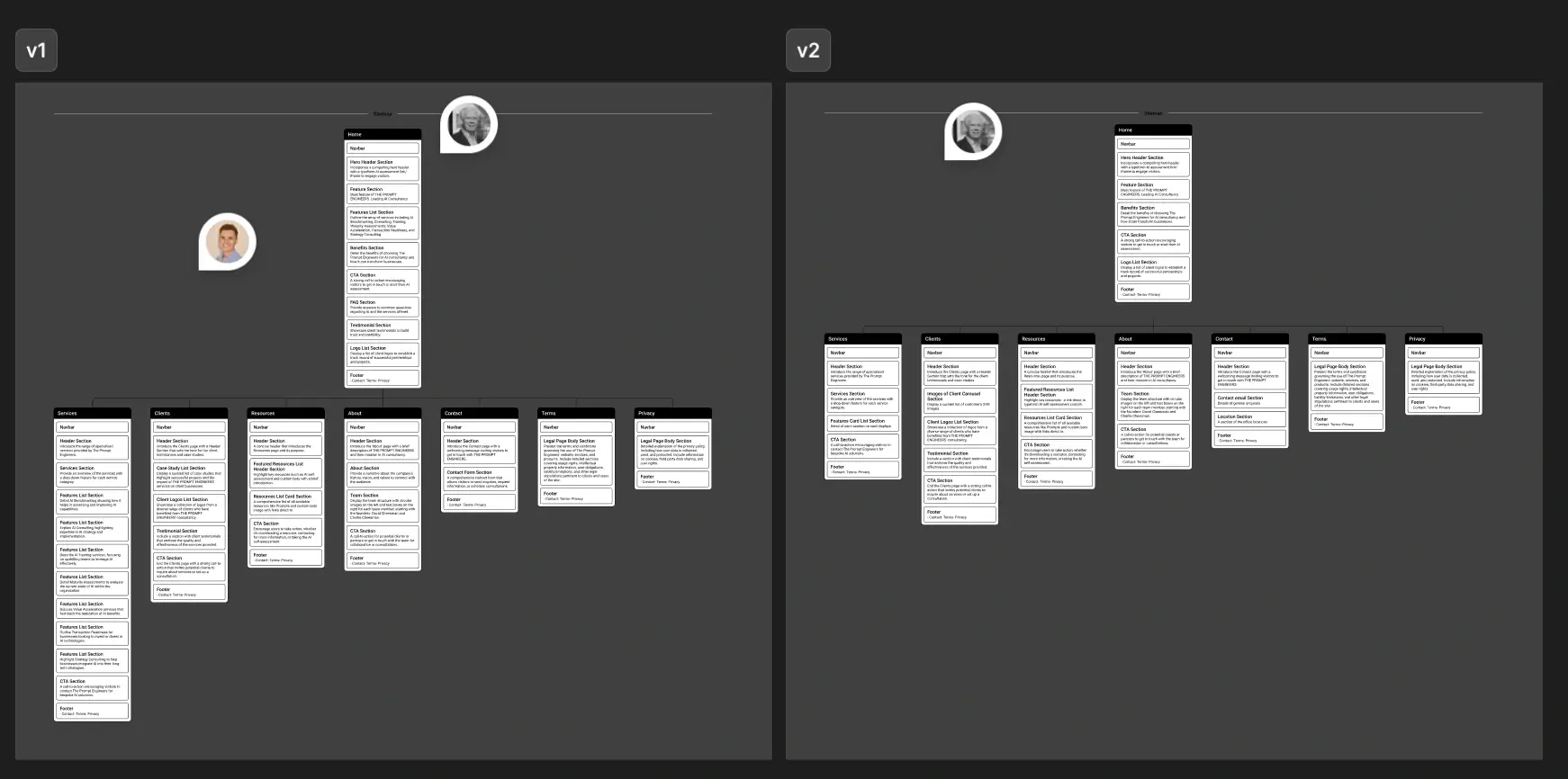 Figma – sitemap v1 with every section, and v2 after the cut
The turn
I believed
That each stage would be signed off before I started the next. I thought a week was enough because the plan was a straight line.
What happened
Feedback came in on all three stages at once. We picked a colour, then someone asked “can we consider non-blue?”, and we ended up back on the original blue. Sections moved between pages while I was halfway through the wireframes, and where the services should go was still open near the end. A block for around twenty client logos turned up as a comment on a wireframe. The structure of the site was really being decided in the Figma comments while I was building the pages.
What changed
I showed the founders every section each page could have and let them cut, instead of proposing something lean and adding to it later. I also held the build to a Lighthouse performance score of 100. Nobody asked for that – it was my own standard, and I didn't mention it until launch. Both meant more work for me inside the same week.
Decisions
Sitemap to live, then built on
The first version went live in a week. About a month later came a second project with more pages and features. I also built the AI self-assessments – their pages on the site and the automation behind them – and nine months after launch I extended the site and built its redesign.
Live in a week
Webflow was the client's requirement, and I made a Lighthouse performance score of 100 my own bar for launch.
I built the first version in Webflow as eight static pages – home, services, clients, resources, about, contact, terms and privacy – and had it live within a week of kick-off. It scored 100 for performance on Lighthouse, with a Largest Contentful Paint of 0.6 seconds.
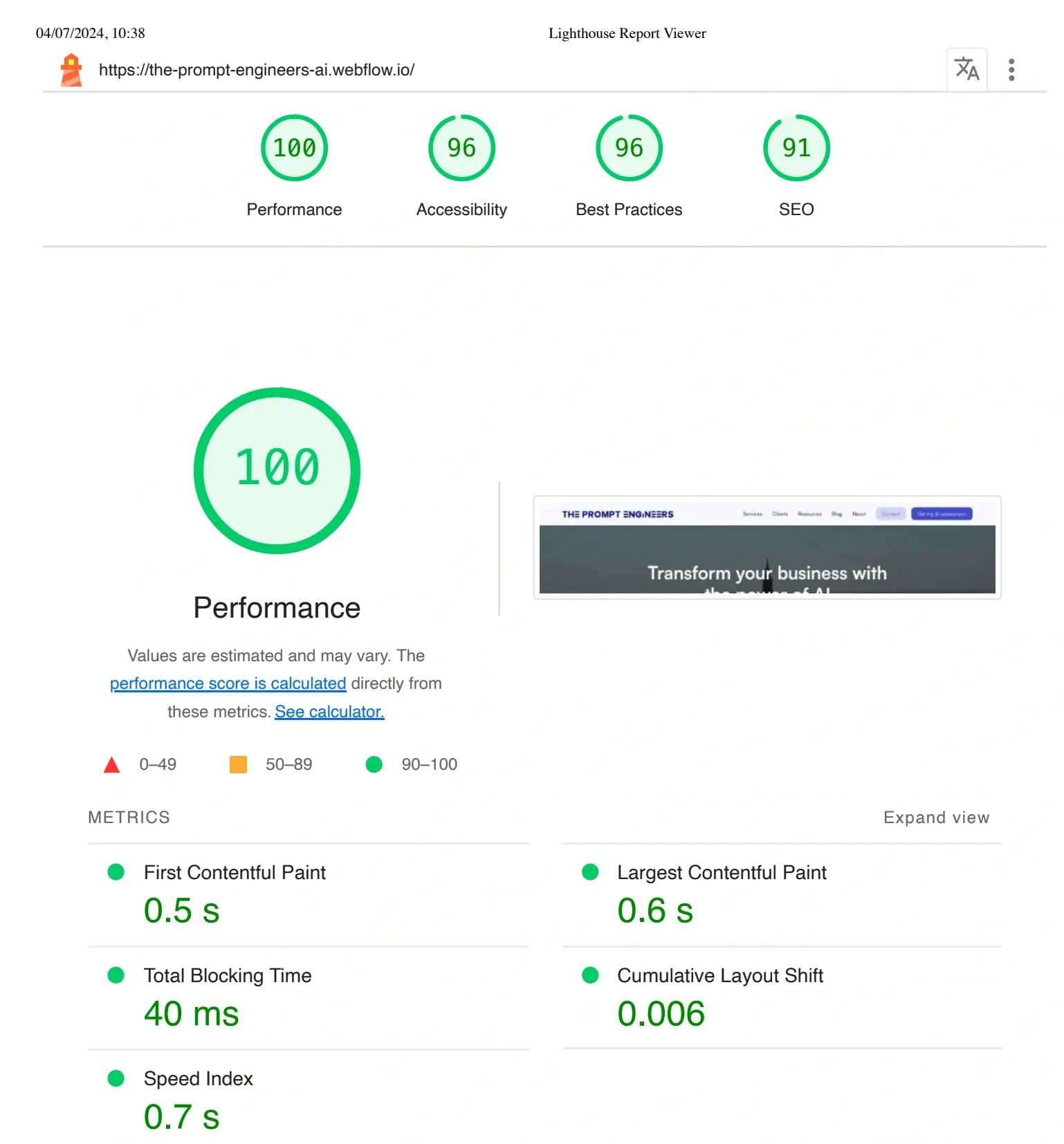 Lighthouse report on the 2024 build – Performance 100
More pages and features
Once the founders saw the site live, they knew what else it needed and wanted to extend it properly, so we scoped a second project.
It started about a month after launch and ran as two one-week milestones. I added a CMS-driven blog, more services pages, an FAQ, and contact and newsletter forms. I also added an AI-generated hero video for the homepage and animation-rich landing pages. I connected the AI self-assessments to Google Sheets so the team could chart the results. The project finished with a full review of every page and link.
AI self-assessments, built and automated
I used Make.com instead of custom code to match the Webflow setup, so the team can change it themselves.
TPE offers clients a set of AI self-assessments on how their business uses AI. I built their pages on the site and automated what happens after someone submits one. A Make.com scenario sends the visitor their result by email. Only after that email goes out is the contact created in HubSpot, with the assessment attached, so when the team picks up the lead they already know what to talk about. HubSpot only hears about people who actually got their result.
The scenario, in run order
- Assessment submittedTPE site
A visitor completes one of the assessments and submits it.
- Scenario triggeredMake.com
The submission arrives in Make as the trigger, with the answers on it.
- Result assembledMake.com
The answers are mapped into the result that goes back to the visitor.
- Results email sentEmail
The result goes to the address given on the form.
- Contact createdHubSpot
Created after the email has gone, with the assessment on the record.
2025 – an extension build and a fresh look
I extended the site with new collections and built the redesign to the TPE team's direction.
I was still working with the team on the assessments when, nine months after launch, the founder came to me about a redesign. The business had more to sell – a book, a playbook library and productised services – and wanted a fresh look, so I ran both jobs together. For the extension, I added playbooks and services collections next to the blog, taking the CMS from one collection to three. New ideas for the CMS kept coming as their marketing plans took shape, and the team now adds playbooks and services from the Webflow Editor, the same way they add blog posts. For the redesign, a marketing lead had joined and reworked the visual direction across the business. I built to it, rebuilding home, about and contact to their design and keeping the product pages on their 2024 structure. I was on board with the new direction, though I did suggest one change for the hero: keep the video and add a static image so the message still gets across.
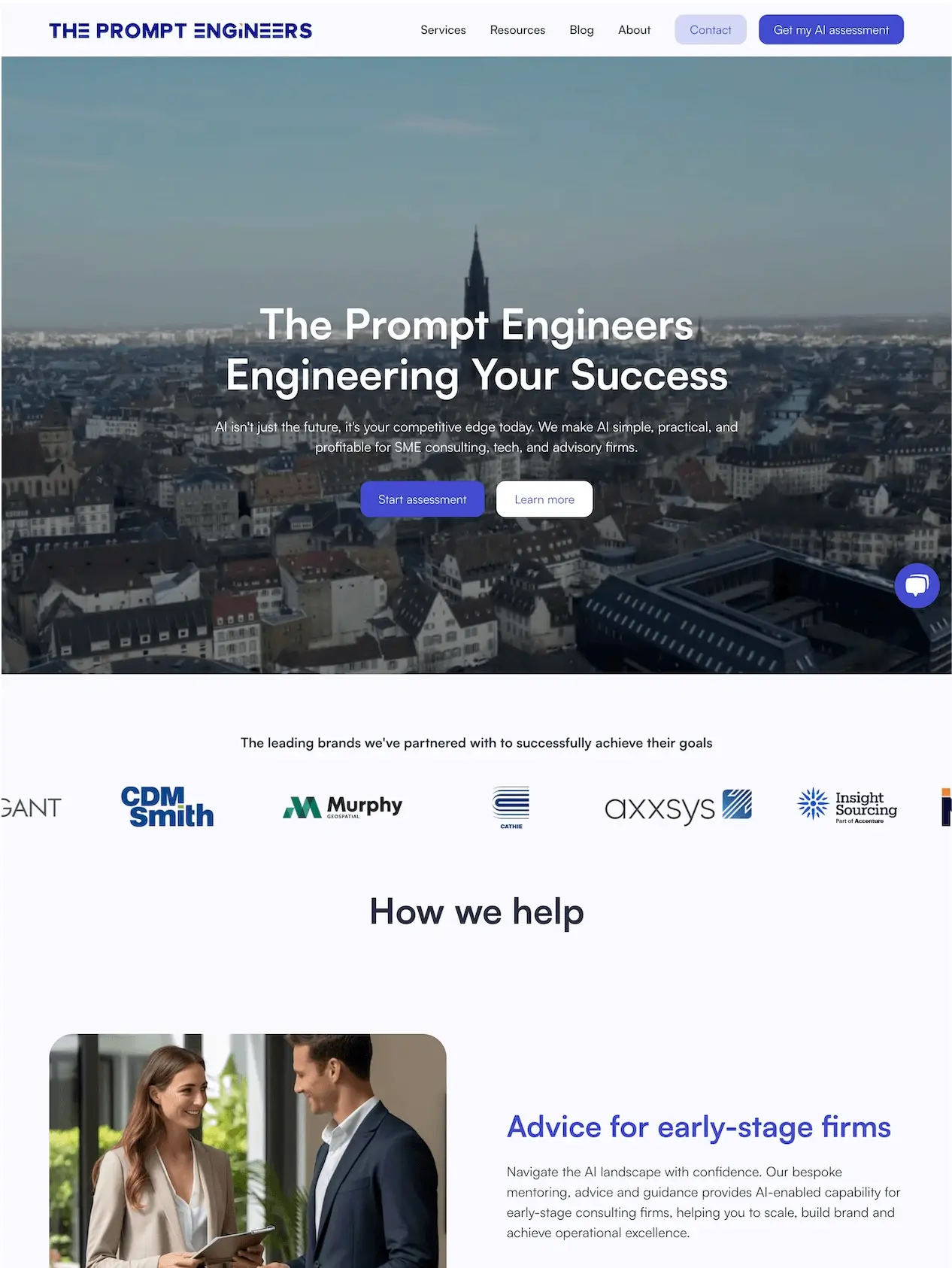 The 2024 homepage, before the 2025 redesign
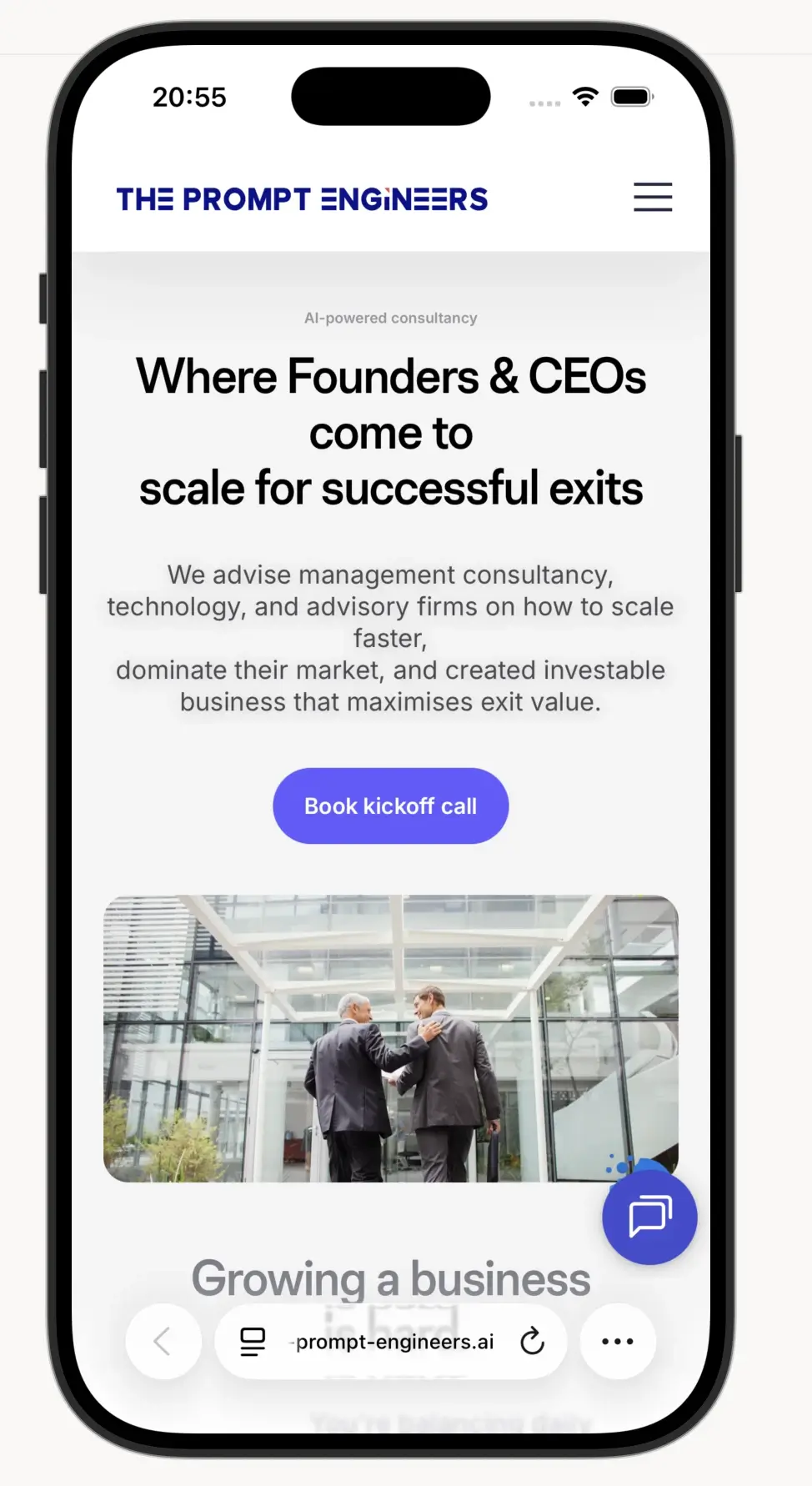 The live site on a phone, after the 2025 refresh
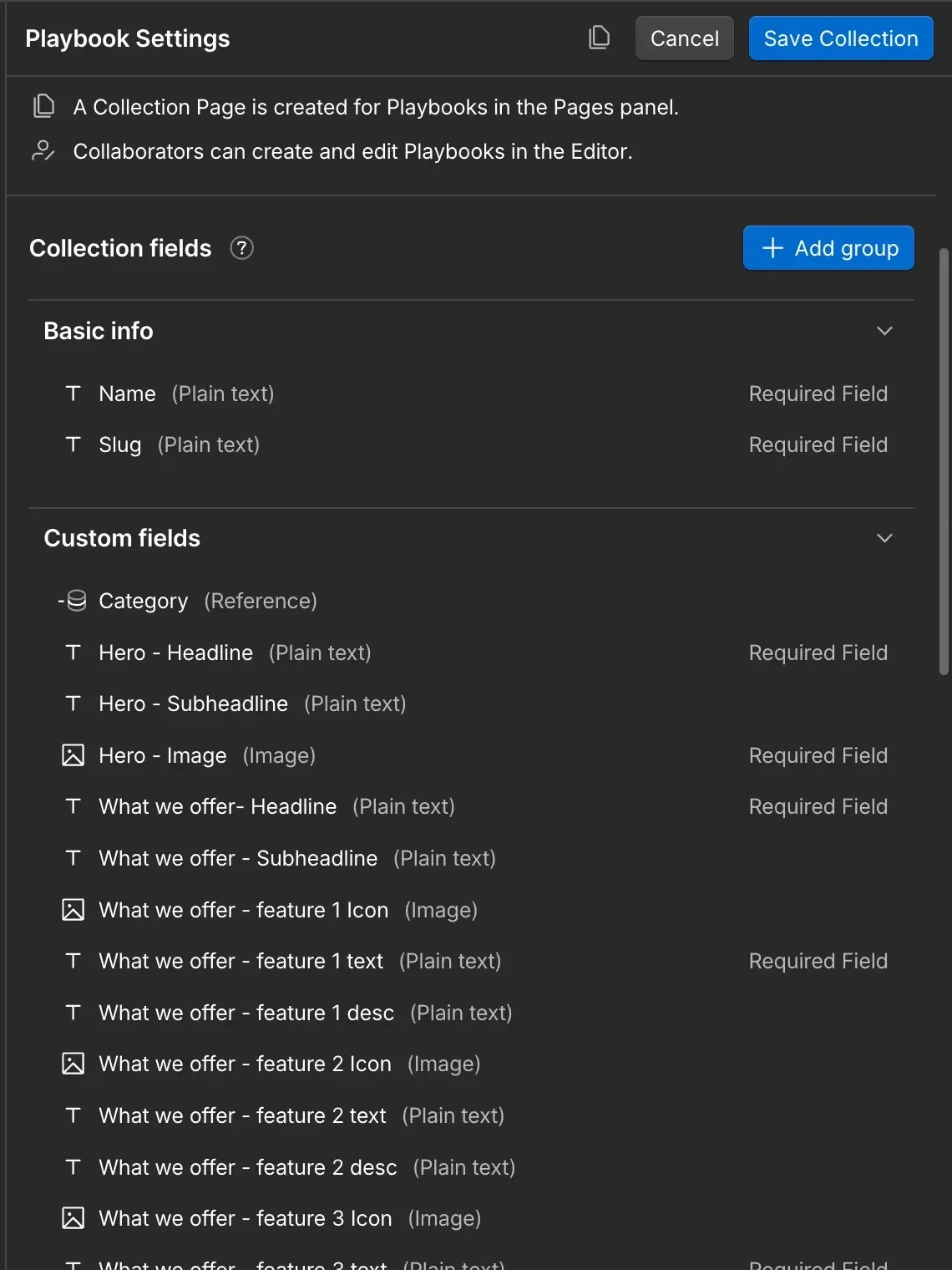 Webflow – the Playbooks collection; collaborators create and edit playbooks in the Editor
Impact
One week from sitemap to live, with one person on design and build.
Lighthouse performance 100 on the first version, with a Largest Contentful Paint of 0.6 seconds.
The AI self-assessments run on their own, from the visitor's result email to the lead landing in HubSpot.
Two years on I'm still working on the site, on a retainer for upkeep and SEO. In September 2026 the live site scores 100 for SEO on Lighthouse, and 93 or above on the other three.
It looks and feels great. … Very well done
Love the way Jun has set up the web site! … the work Jun did listing all the URL's chapter was really first class.
Reflection
This project showed me how much it helps when one person does both the design and the build. There was no handover to wait for, and on a one-week job that wait can eat most of the schedule. The founders also had one person to talk to about everything, from the sitemap to the last fix before launch.
In 2024 I worked directly with the founders, and feedback came in as comments on my Figma file. In 2025 I worked with the founder and the marketing lead, remotely and mostly async. After each meeting I broke the work into tasks in Notion so everyone could see where things stood. I've been on a retainer since, looking after upkeep and SEO.
Differently, today
Feedback came in as comments, so nothing was ever clearly settled, and notes on the wireframes reopened a sitemap I thought was done. Next time I'd send the founders a short written summary at the end of each stage: what we decided, and what comes next. They'd always know where the site stood, and a new idea late in a stage could get its own time in the plan.
More projects